Stop Chasing Numbers: How Pros Actually Lock In Their Mouse Sensitivity (And Why You're Overthinking It)
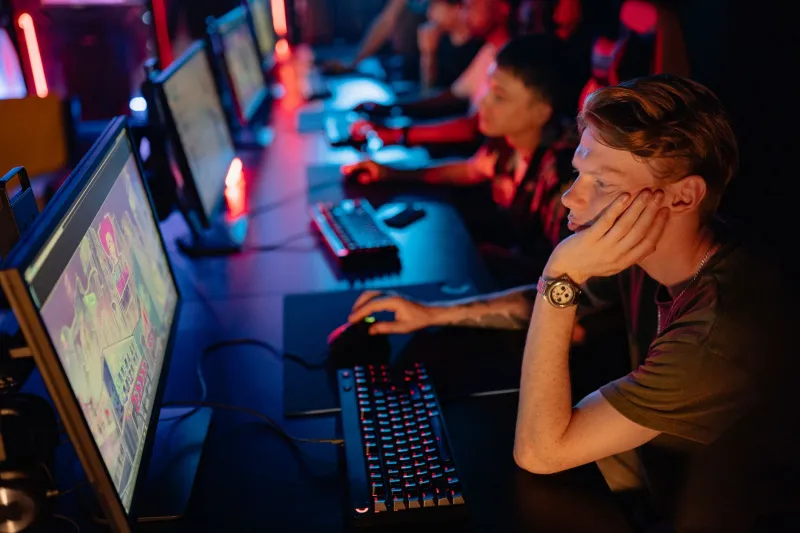
There's a guy in every Discord server. You know the one. He's got seventeen browser tabs open comparing eDPI calculators, he just switched from 800 DPI to 1600 DPI because he read that Shroud used to run it, and he's about to post his third "finally found my sensitivity" update this week. Two days later, he's back to square one.
Here's the uncomfortable truth: sensitivity settings matter a lot — until they don't. And the line between optimizing your setup and sabotaging your own development is a lot thinner than the YouTube rabbit hole would have you believe.
Let's break down what's actually going on when pros obsess over their mouse settings, what the data really says, and how you can find your locked-in number without turning sensitivity tweaking into a full-time job.
Why Sensitivity Actually Matters at the Pro Level
At the highest levels of competitive play — think CS2 Majors, Valorant Champions, or the ALGS — margins are razor-thin. A flick shot that lands on the edge of someone's skull versus center-mass can be the difference between a $10,000 payday and a plane ride home. So yes, sensitivity absolutely matters to these athletes.
Pro coaches will tell you the same thing: consistency is the goal, not precision in isolation. When a player's muscle memory is dialed in, their crosshair movement becomes automatic. The brain stops thinking about how to move the mouse and starts thinking purely about where the enemy is. That cognitive offload is massive in high-pressure situations.
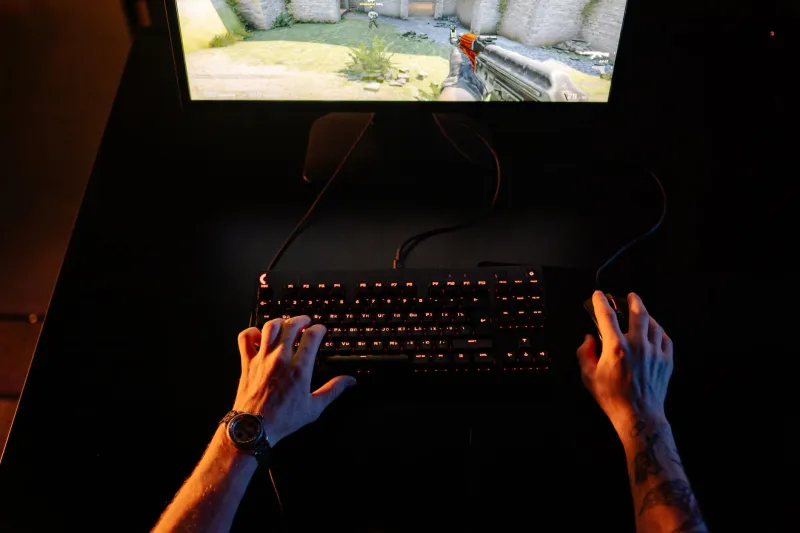
Sensitivity directly affects how quickly you can build that muscle memory. Too high, and your aim becomes jittery — small tremors in your hand get amplified into wild crosshair swings. Too low, and you're physically running out of mousepad real estate during fast-paced fights, burning energy on arm sweeps when your wrist should be doing micro-corrections.
The concept coaches talk about most is eDPI — effective DPI, which is your hardware DPI multiplied by your in-game sensitivity. It's the universal measuring stick that lets you compare setups across different mice and games. Most elite CS2 players cluster between 600 and 1000 eDPI. Valorant pros trend slightly higher. Battle royale players vary more wildly because the genre demands both long-range precision and close-quarters chaos.
The Obsession Is Real — But It's Not Always Rational
Here's where it gets interesting. Talk to enough coaches and analysts and a pattern emerges: the players who tinker the most with sensitivity aren't always the ones who need to. Sometimes, the tinkering is a coping mechanism.
When your ranked performance tanks, it's psychologically easier to blame your setup than your decision-making. Adjusting sensitivity gives you the feeling of doing something productive without the discomfort of watching your own VODs and confronting bad habits. It's the gaming equivalent of reorganizing your desk instead of finishing the project that's due.
That said, the obsession isn't entirely irrational. Even a 0.1 change in in-game sensitivity can meaningfully shift how 180-degree flicks feel. Pro players who travel between LAN events sometimes notice that different monitor sizes, desk heights, or even humidity affecting their mousepad surface create perceptible differences. These are real variables. The problem is that most recreational players aren't operating at a level where those variables are the bottleneck.
A Practical Framework for Finding Your Number
So how do you actually dial in your sensitivity without falling into the endless-tweak trap? Here's a straightforward process that mirrors what structured training programs use.
Step 1: Start in a reasonable range. If you're new to optimizing, pick an eDPI between 700 and 1000 and commit to it for at least three weeks of regular play. Don't pick based on what your favorite streamer uses — their hand size, grip style, and playstyle may be completely different from yours.
Step 2: Stress-test in real matches, not just aim trainers. Aim Lab scores are useful reference points, but they don't replicate the cognitive load of an actual ranked match. Your sensitivity needs to hold up when you're tilted, when your teammate just threw the round, and when you're peeking a five-man stack. Play real games.
Step 3: Identify specific failure points. Are you consistently over-flicking on close-range targets? Your sensitivity might be too high. Are you getting caught mid-swipe during wide peeks? It might be too low. Be specific. "My aim felt off" is not a diagnosis.
Step 4: Make one small adjustment, then lock it for two weeks. If you decide to change, drop or raise your eDPI by no more than 50-75 points. Then don't touch it again for at least fourteen days of active play. Muscle memory needs time to recalibrate, and you cannot accurately evaluate a new setting in two sessions.
Step 5: Know when to stop. This is the hardest part. Once you've landed in a range that feels controllable and your stats are trending upward, stop treating sensitivity as a variable. It's now a constant. Your job is to build on top of it.
The Lock-In Moment
The best players describe a moment when their sensitivity stops being something they think about. It just becomes part of how they interact with the game — as automatic as knowing where the W key is. That's the goal. You're not searching for a magic number. You're building a physical habit that eventually runs on autopilot.
If you've been playing at the same sensitivity for six months and you're still not improving, the sensitivity almost certainly isn't the problem. Your positioning, your game sense, your communication, your mental reset between rounds — those are far more likely culprits.
The pros who obsess over tiny DPI adjustments have already mastered everything else. They're operating at a level where marginal gains matter. Most of us aren't there yet, and that's fine — but it means our time is better spent grinding fundamentals than refreshing sensitivity databases.
Shoot your shot. Lock your settings. Then go get better at the actual game.